Disclaimer: This is a guest blog post, written by our community member paint-attract-repeat
The TL;DR version of this is that FLX1s is a Linux phone which has moved from being of interest to techie enthusiasts to working as an everyday phone - and computer - for a non-tech person.
It's important therefore, I think, to locate myself accurately. I describe myself as a "Linux enthusiast". I'm not a Linux novice, I've used it for about a decade. But I am only an end-user of Linux. I'm one of those people the more techie types are writing the software for, and I appreciate you all very much, and contribute (financially) where I can. I can't write software myself, I happily install software that is packaged ready to install, but drop out of the game if I have to "compile" it myself - I don't really understand what that means - let alone write it or code it myself. I've never studied IT and I've never worked in IT. And I've often reflected, if Linux is to expand its base, people like me are next in line to draw in: people who are prepared to invest a bit of time into making it work, and aren't afraid to play about with it.
You might wonder why I got into Linux? I run my own small business. And I too frequently in the early days (it's 20 years old this year) got my fingers burned when big tech companies were able to hold me to ransom. One particular story that sticks in my mind - not that I'm bitter 😂 - is that we invested in Skype Phones and a Skype number for our telephony. And after Microsoft bought Skype, it decided it wasn't interested in going down that path, and a software update literally remotely bricked all the hardware we had purchased... I became determined I needed as far as possible, to understand, and to have control over, my own tech. And of course, to have nothing to do with Microsoft. Back then, you had to work, in particular, to get peripherals to work, as I remember.
I think I occupy some sort of middle ground. No Linux phone - not even the FLX1s - is going to satisfy anyone who wants it to have all the features of a new android or iphone. Or who expects to find all the settings and functionality in the same place as those phones. Or who wants it working in a few minutes out-of-the-box. Or who loves having hundreds of apps... Nor is it going to be suitable for granny who wants a dumb phone.
But the question I've asked is, if you are the sort of person who would install Linux on a laptop, install and use Linux software, and use it routinely to do a non-tech day-job, would the FLX1s work for you as your phone? And my answer is - Yes. And as your computer too.
In this post, I'm setting out how I use my phone in everyday use. And in particular, here are the three best features for me.
1. The hub
Without a doubt, this is the best. I didn't even know this was going to be a thing when I originally got the phone, it came along later. But the hub - technically FLH1 - allows to connect the phone to a bunch of peripherals including monitor, keyboard, mouse, and anything else you could connect to a computer, and then to use the phone just like a computer.
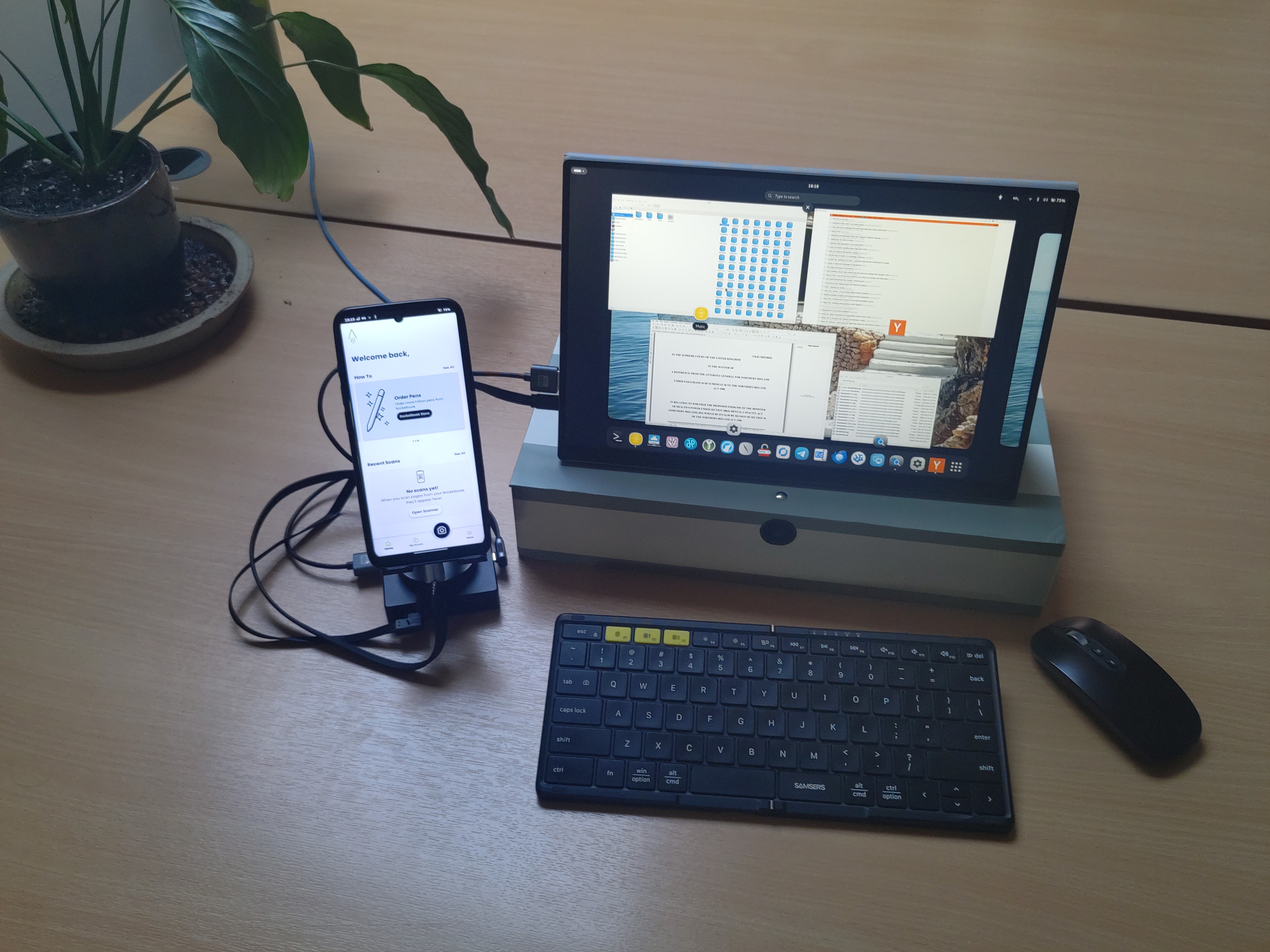
So, in this picture, you'll see the monitor displays a Gnome desktop environment. Along the bottom, you can see shortcuts to several pieces of software - an email client, a text editor, a file manager, speech-to-text software, a remote desktop application, an office suite, a PDF editor, a browser, an OTP client, and several others.
This is the same software as I use on my laptop. I read some debates about whether the phone runs "mainline Linux" - debates I don't understand. What I do know is that this is the same software, installed the same way, and working the same way, as it does on my laptop. Things like dragging-and-dropping from a file manager into other software, which I never got working on android, work here just like on my laptop.
The phone screen, you will see, is displaying different software - in this case RocketBook, an app which allows to upload, OCR and save handwritten notes. But my favourite use of the phone screen is with Gnome-sushi, preview software. I move between files in the file manager (Nautilus) on the desktop, and a preview of each file shows on the phone screen as I do.
I keep saying "just like my laptop", which begs the question, why not just use a laptop then? Here are some answers to that:
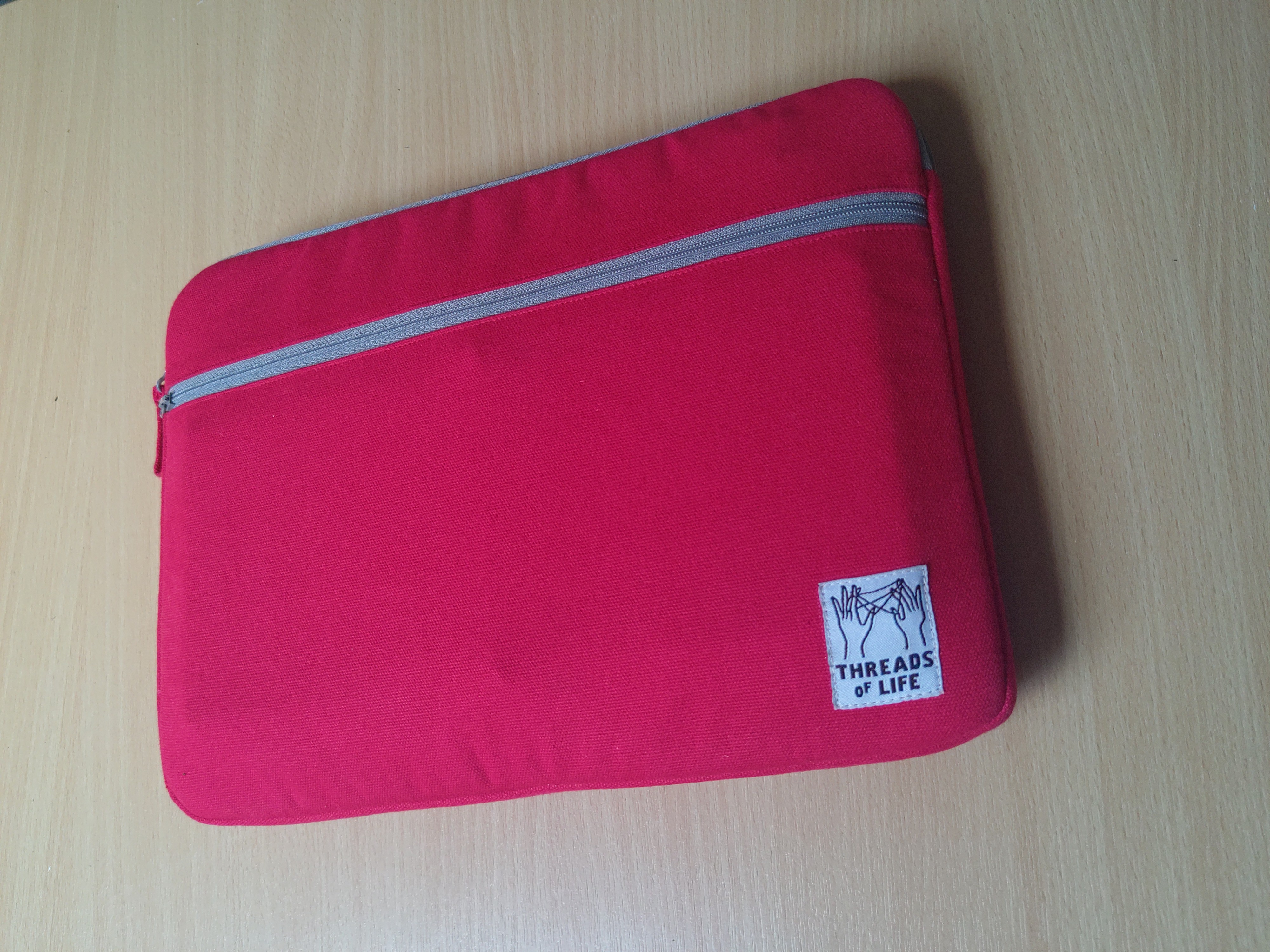
- I pack all the peripherals away flat into a laptop case, and it's actually a lot lighter than my laptop, easier to carry around:
- It's more flexible than my laptop. I can raise the monitor to a better height (here, just propping it up on a box); I can move the monitor, keyboard and mouse relative to each other for better ergonomics.
- It's one less data-security risk - nothing in that laptop bag contains any data I'd miss if I lost it or would be a risk if it were stolen.
- Of course, there's still the phone, and here's the thing: unlike my laptop, it works as a phone when I haven't got the whole hub-and-peripherals set up.
A quick shout-out to Thunderbird here: with two quick touches to extension buttons, I close the folder-pane and view-pane, leaving just the message-pane showing. And it works on my phone as a mobile email client. Even though I'm actually talking about Thunderbird desktop, so it has all the additional functionality - such as extensions - of the desktop on my phone. Set it up through the monitor, re-open the folder- and view-panes, and it behaves like a desktop client. Just one email client installed, not two, running as a mobile and a desktop client.
2. Progressive Web Apps
These are something else I didn't really know about before. Sure, I knew that an android browser allows you to make shortcuts to android's home screen. But Progressive Web Apps are - in the best cases - much more than that. The website can allow itself to be set up, effectively, with all the functionality of an android app. In the best examples, I can get a QR code to scan for a bus ticket, or scan-to-pay for a cup of coffee at a coffee outlet.
And this is without an app installed. Indeed it's without android at all (though android apps can work on the FLX1s). I'm using FirefoxPWA extension. It's a bit of an effort to install since it needs to interact with additional software installed on the phone, but once that's done, each app is installed in a sandboxed profile, on the Firefox that was pre-installed on the FLX1s. So no tracking across everywhere, and no android trackers. Increasingly, I'm hoping I might become Google free as well as Microsoft free.
Another shout-out here, this time to Karere. This is a wrapper for WhatsApp. Again it's a Linux app. It seems to have the functionality of WhatsApp, certainly what I most need, which is notifications, and sending and receiving files. (Sure, I may be Google- and Microsoft-free but I'm not quite Meta-free. I'm not trying to persuade everyone else they need to uninstall WhatsApp, so I need to be able to communicate with them...)
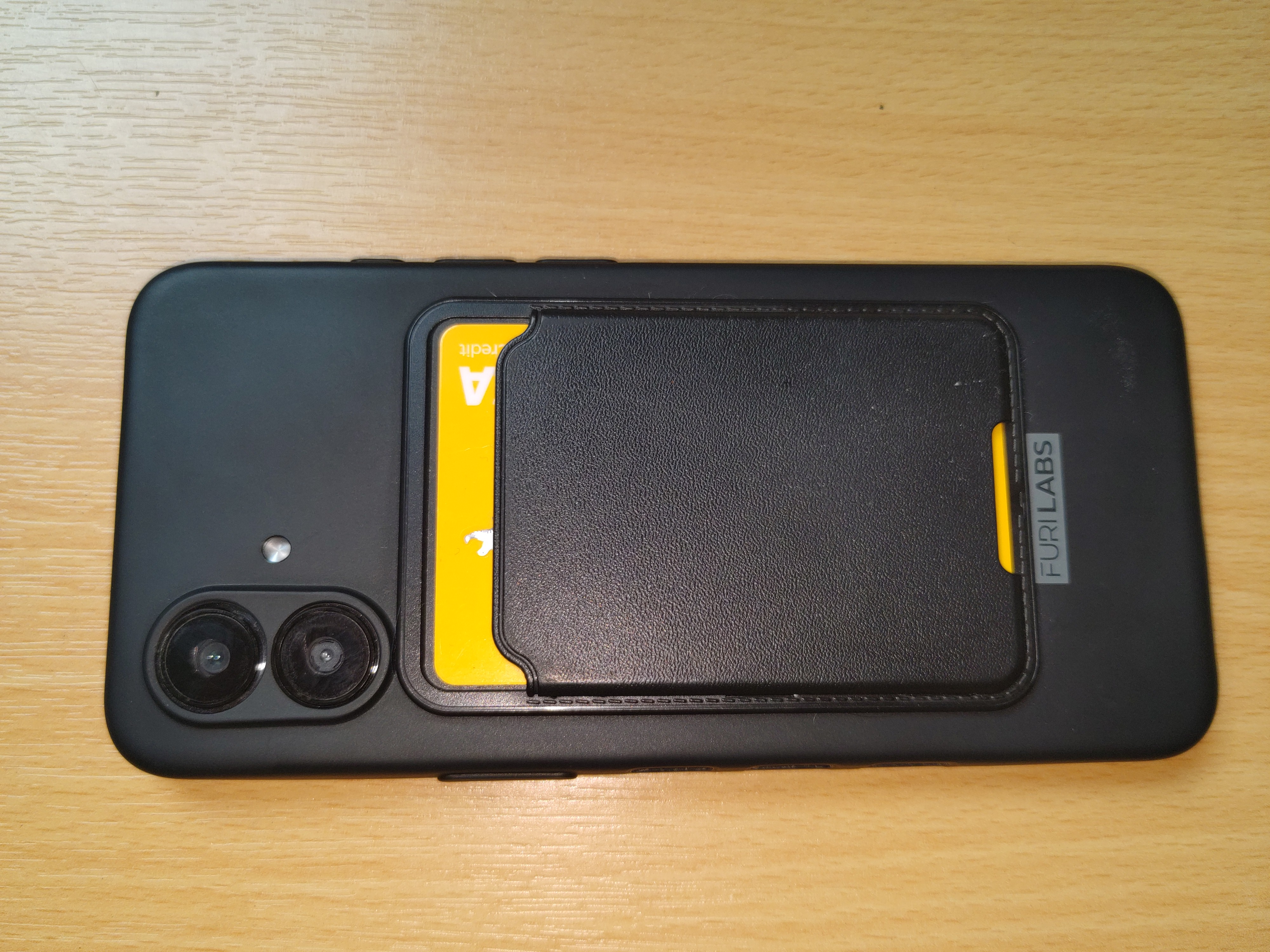
People say that banking apps are critical to them, and are a problem with Linux phones. Possibly. For me, the website works. And I find tap-to-pay works absolutely fine like this😂:
3. Peripherals
Did I say that setting up peripherals was a pain in my early days of Linux? It's been relatively pain-free on the FLX1s.
I've set up all my printers, I can choose to send to a printer of my choice, with all the print options available, direct from any piece of software. (Refrain: just like on my laptop!)
I have an old portable scanner. Old but very good, as it does multi-feed, duplex, post-processed scanning, fast. I've been able to set this up on the FLX1s:
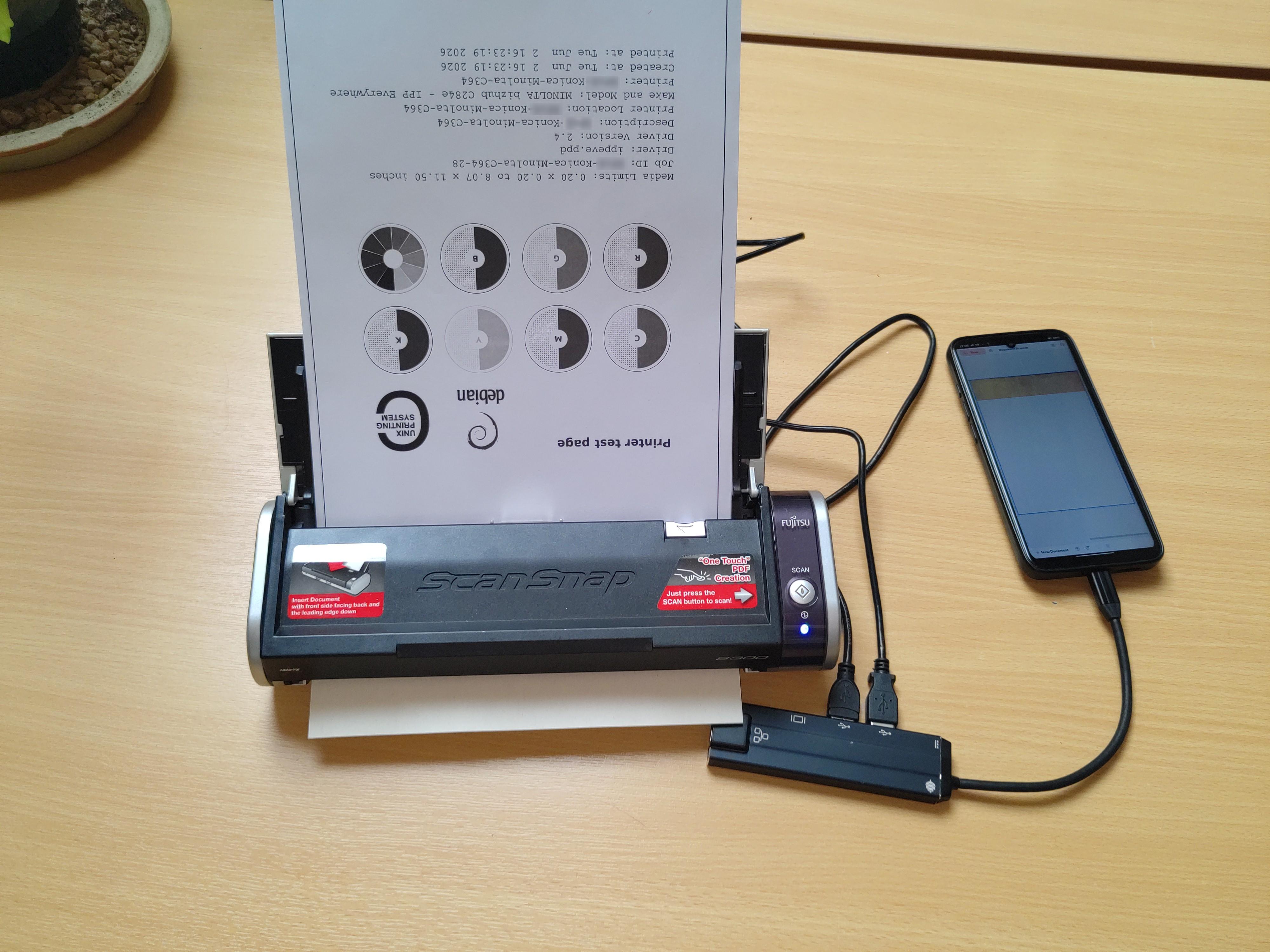
In the above picture, I'm using the scanner directly on the FLX1s, without the hub, and without mains power - it's getting its power from the FLX1s, though it can run off mains as well, and run off the hub as well.
I have a Yubikey, that works both directly plugged into the phone, and into the hub.
I like to play music through my HiFi music system. No problem.
Olympus Dictation Machine? Yes. IT projector? Yup. And so on...
This isn't my first experimentation with a Linux phone. I previously had, and quickly gave up on, a PinePhone. Had I asked the same question of the PinePhone - does it work for someone who is a Linux enthusiast but not a Tech person? - the answer would have been a categorical no. It was way beyond me to make it behave, either as a phone or as a Linux device.
It's a real delight to be describing here something that has done so much more than I expected when I first bought it, rather than so much less. Oh, and it's my phone as well. To use another phrase I never came across before, it's my "daily driver".