
We're excited to announce a major milestone for FuriOS: Face Unlock is now available on our Linux Smartphone FLX range. This marks a significant step forward in making FuriOS not just open and private, but also effortless to use every day.
What Is Face Unlock?
Face Unlock uses the FLX's front-facing camera to recognise your face and unlock your FLX device with convenience: no PIN codes, no patterns, no fumbling with passwords. Just pick up your phone and you're in.
Built With Privacy at Its Core
Because FuriOS is built on Linux and grounded in open-source principles, Face Unlock works entirely on-device. Your facial data never leaves your phone, never touches a cloud server, and is stored in a secure, encrypted enclave. You stay in full control of your biometric data at all times.
Key Features
- Fast recognition: Unlock your FLX device with just a glance.
- On-device processing: All face data is processed and stored locally on your device.
- Open and transparent: Built on open-source foundations, so the community can inspect and verify.
- Seamless integration: Face Unlock ties directly into FuriOS's biometric framework for app locks, payments, and sensitive actions.
How to Get It
Face Unlock is rolling out to all FLX devices with the latest FuriOS update. To set it up:
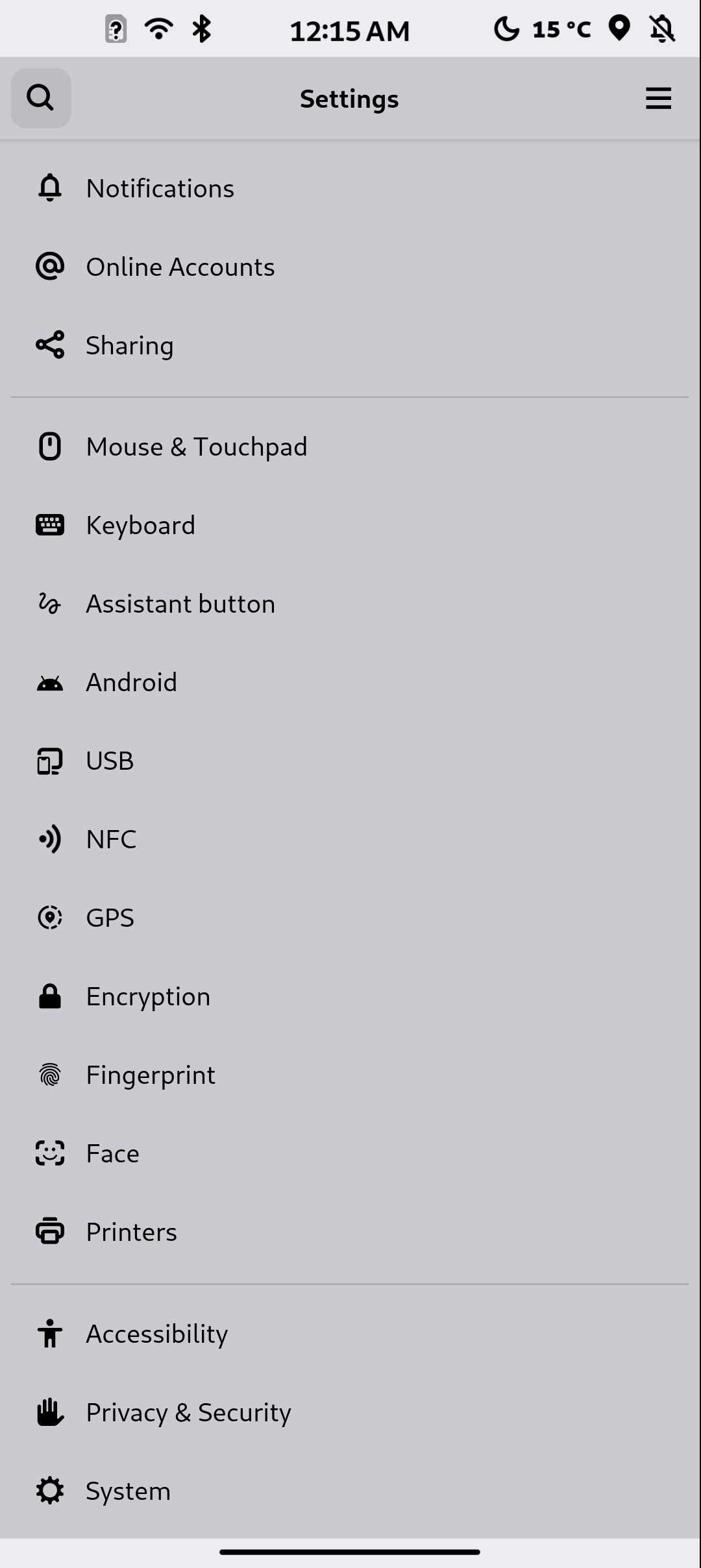
- Open Settings on your FLX device.
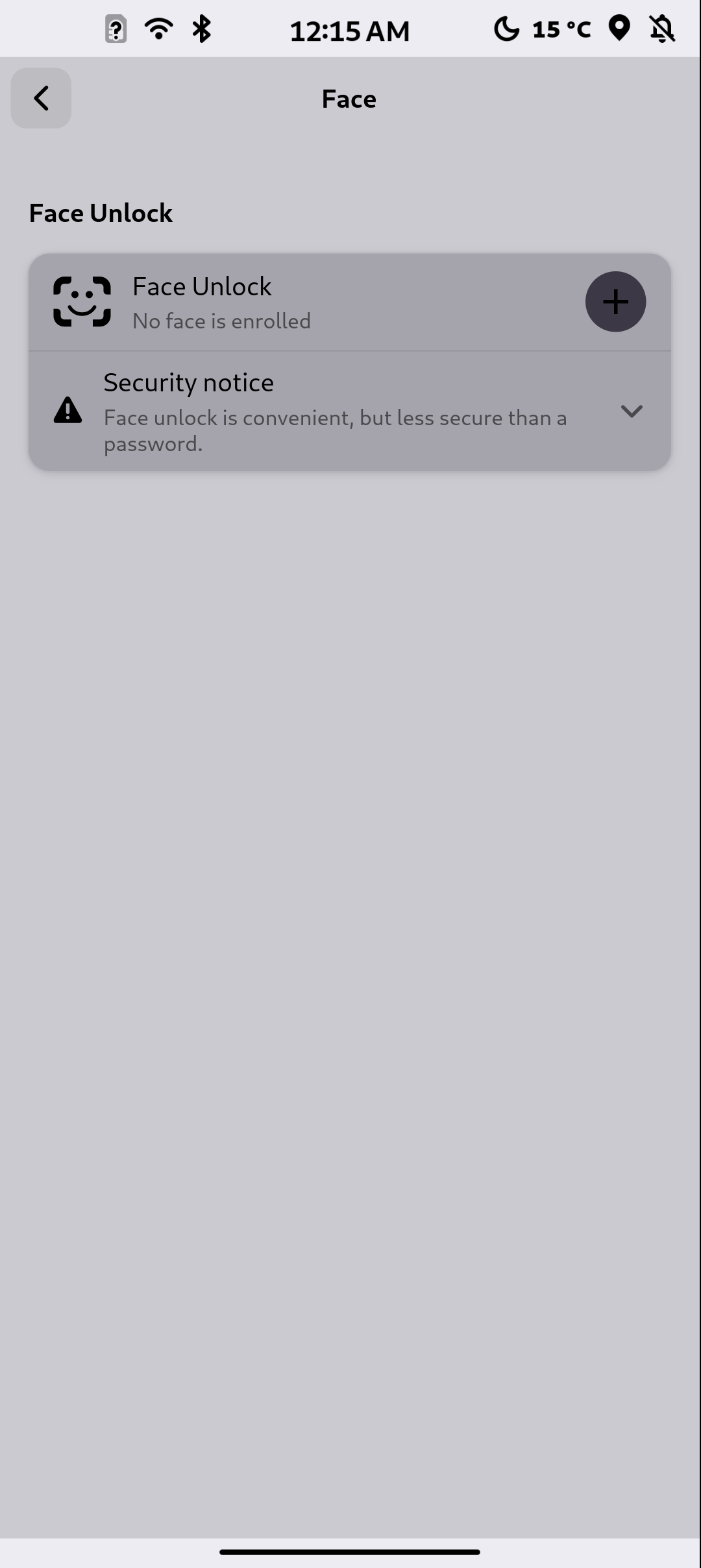
- Navigate to Security → Face Unlock.
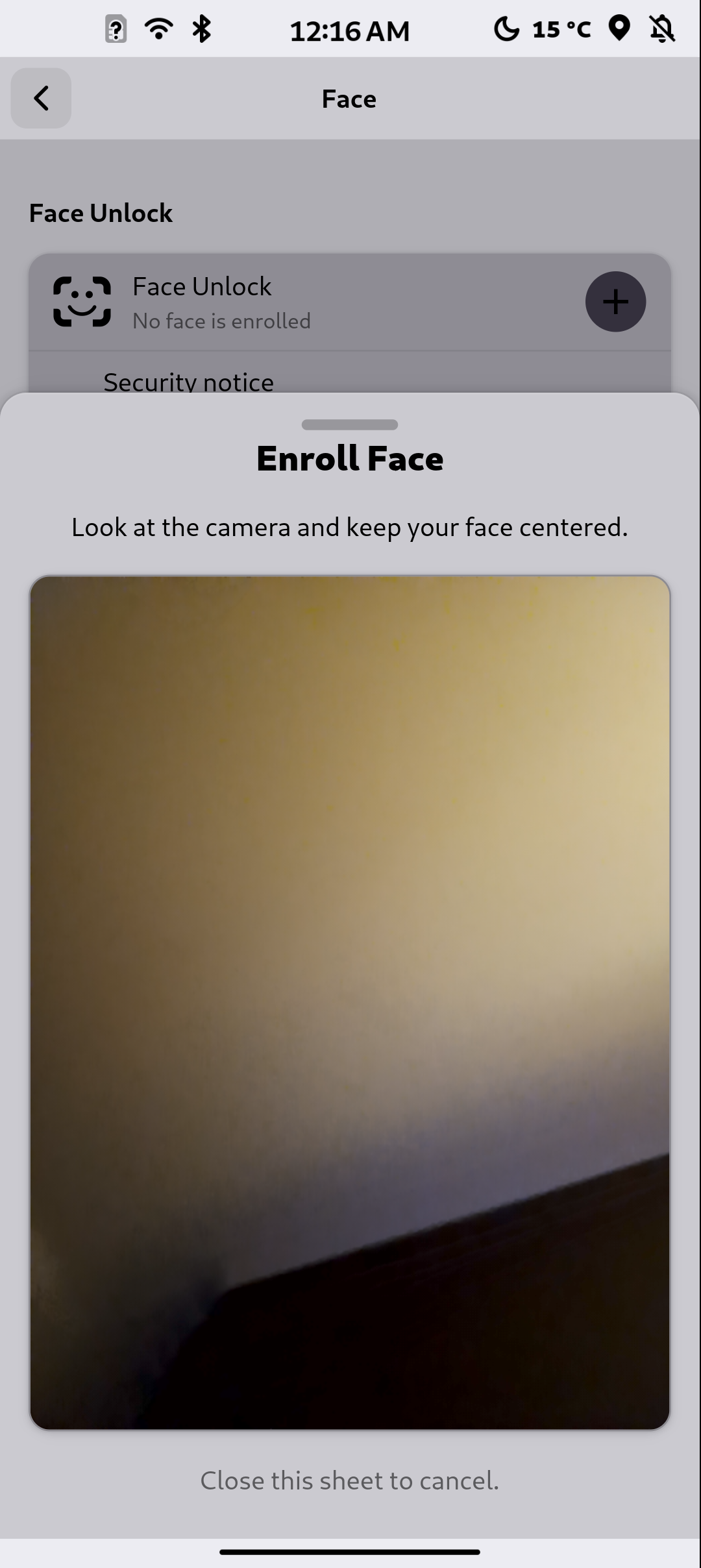
- Follow the on-screen instructions to enroll your face.
- You're all set. Just look at your phone to unlock it.
Looking Ahead
This is an important milestone, but it's just the beginning. We're continuing to invest in biometric security, privacy-first features, and the broader FuriOS experience. The FLX range was built to show that a Linux smartphone can be both powerful and practical, and Face Unlock is a natural part of that vision.
A huge thank you to the community of developers, testers, and supporters who made this possible. We can't wait to hear what you think.
Have feedback or questions? Reach out on our community forums or follow us on social media for the latest updates.